- expo-open-ota
- release
- open source
- react native
Expo Open OTA v3: One Server, All Your Expo Apps
v3 turns Expo Open OTA into a complete self-hosted update platform: full independence from Expo, multi-app support, a PostgreSQL-backed control plane, progressive rollouts, A/B testing, and an Enterprise Edition, while the core stays MIT.
Axel Marciano · July 20, 2026 · 4 min read

Today we're releasing Expo Open OTA v3, the biggest release in the project's history. Expo Open OTA is an open-source Go server implementing the Expo Updates protocol, so you can ship over-the-air updates to your React Native apps from infrastructure you control: your storage, your CDN, your keys.
Why v3
Since the first release, three requests kept coming back from the community:
- Independence from Expo. v2 relied on Expo for the entire authentication layer around publishing: you needed an Expo account and an Expo access token to ship an update. If you self-host your update server, that last dependency had to go too.
- Multi-app support. Teams hosting several apps had to deploy and maintain one server instance per app.
- Progressive rollouts. Shipping an update to a percentage of devices instead of everyone at once.
Doing these properly requires real state, so v3 introduces a new way to run the server: control plane mode, backed by PostgreSQL.
Control plane mode
Point the server at a PostgreSQL database and you unlock the control plane: a redesigned web dashboard where each team member authenticates individually, with update signing keys sealed in the database with AES-GCM. Here is what it brings.
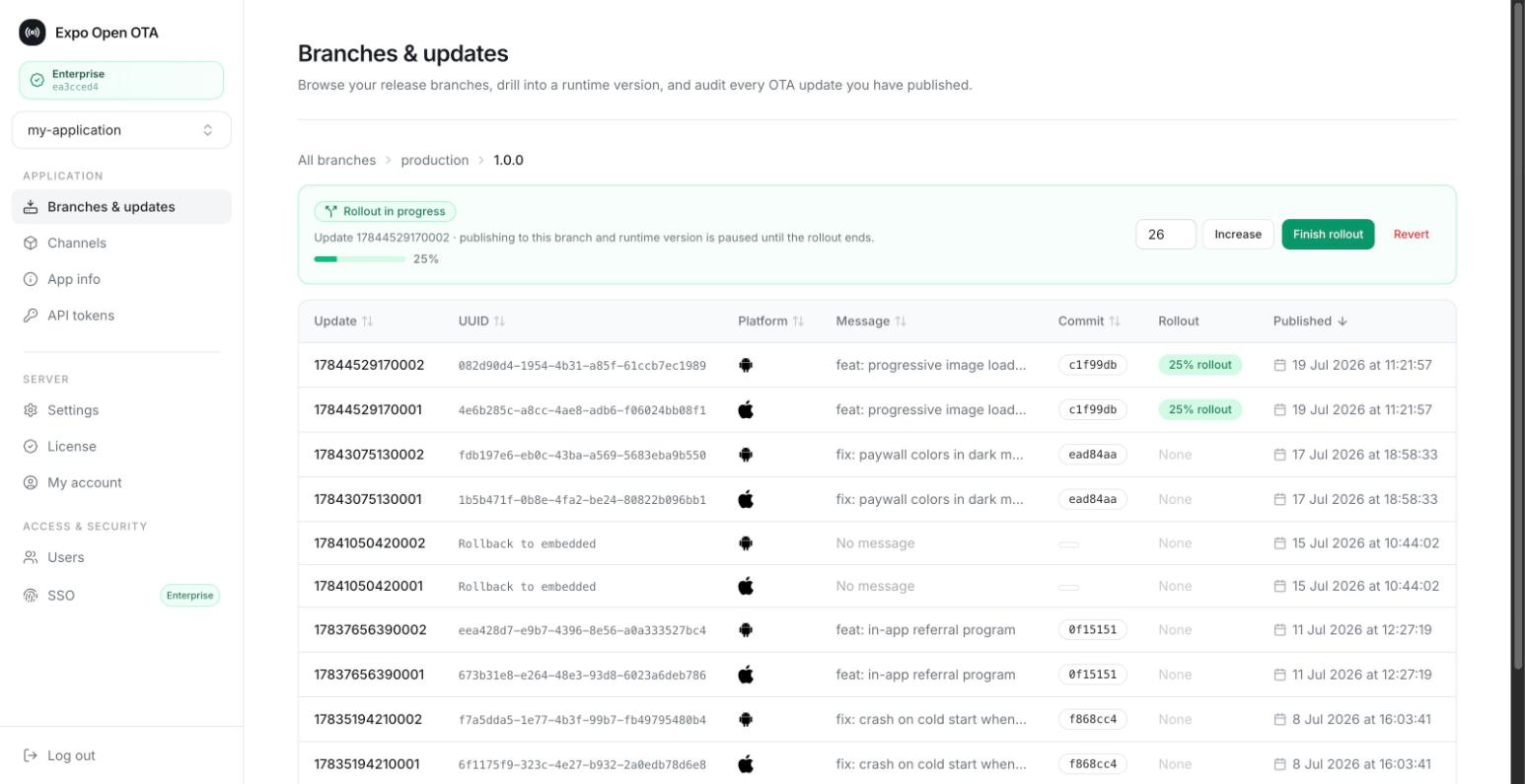
Multi-app support
A single v3 deployment hosts any number of Expo applications. No more
redeploying one instance per app: each app gets its own branches, release
channels, tokens, and update history, fully isolated from the others. Clients
identify themselves with an expo-app-id request header, configured once in
your app config:
export default {
  expo: {
    updates: {
      url: "https://updates.your-domain.com/manifest",
      requestHeaders: {
        "expo-app-id": "your-app-id",
        "expo-channel-name": "production",
      },
    },
  },
};
API keys per app
Publishing no longer goes through Expo's authentication: no Expo account, no Expo access token. Each app has its own API keys, so your CI pipeline holds exactly one scoped credential. A leaked key compromises one app, not your whole organization.
Progressive rollouts
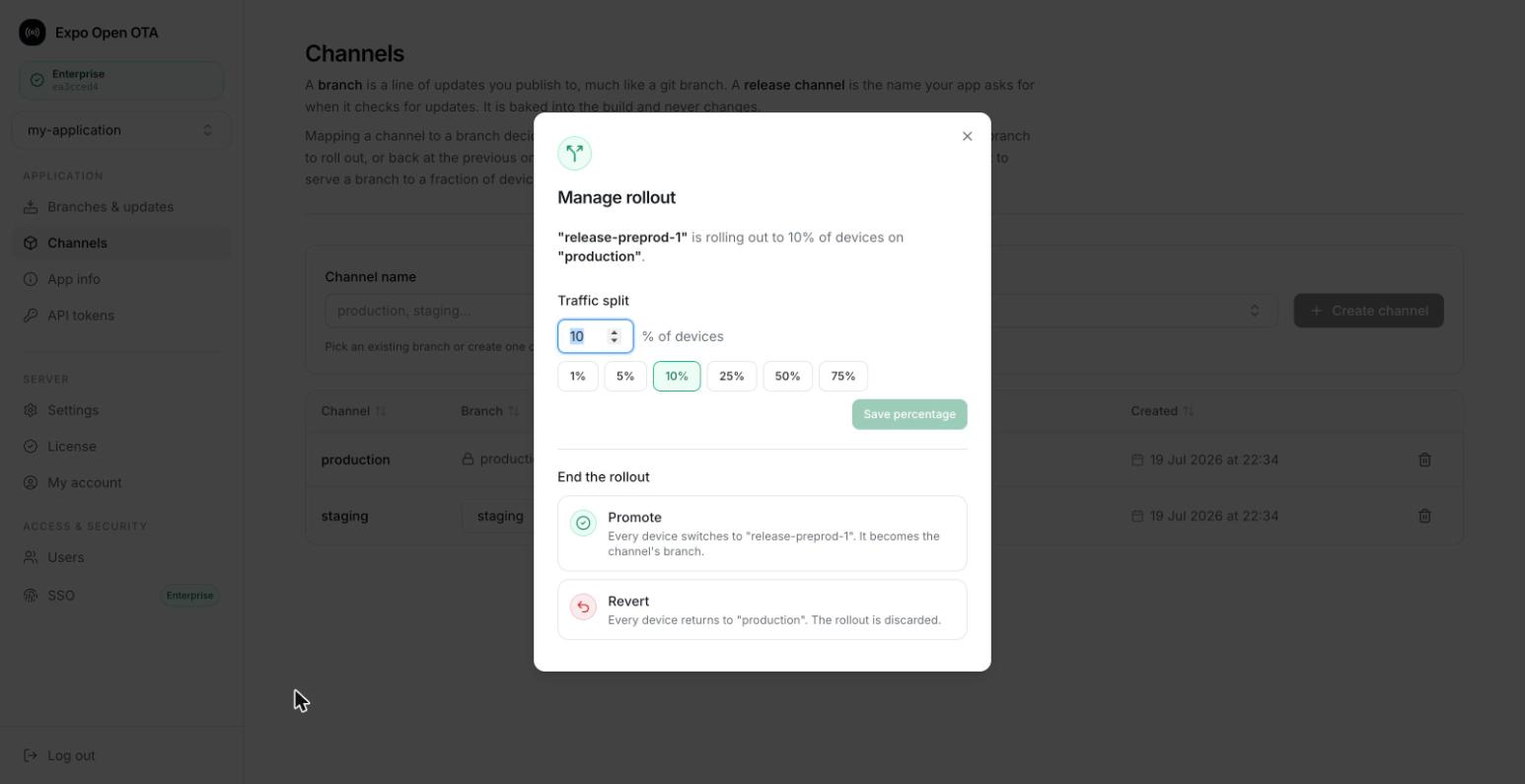
Pushing an update to 100% of your users at once is a leap of faith. In v3 you start an update at a percentage of devices, watch your metrics, then promote or revert it from the dashboard or with a single CLI command. Because rollouts happen at the update-server layer, a rollback is effectively instant: the next update check simply serves the previous build. No store review, no rebuild, no waiting.
A/B testing
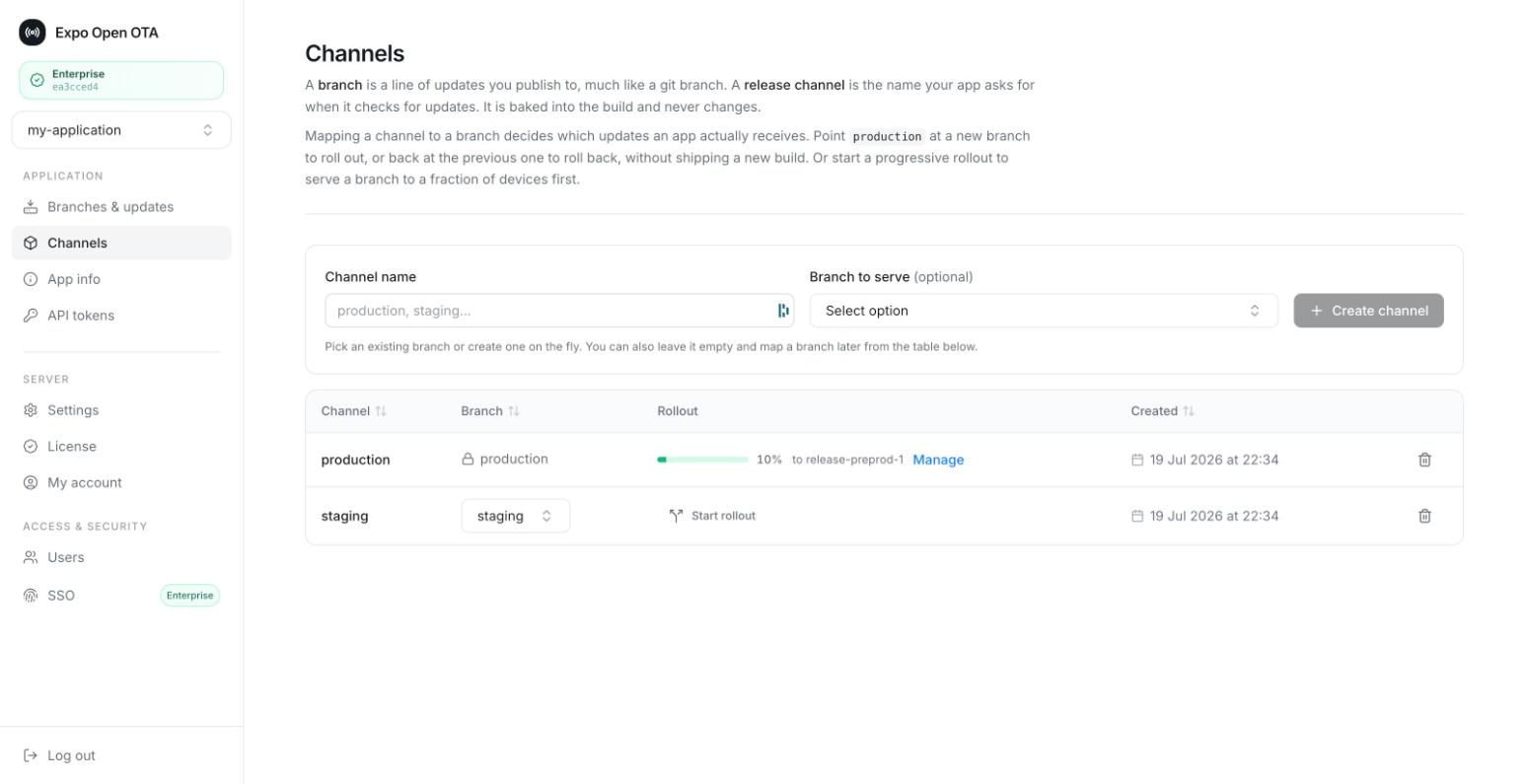
A release channel can now serve two branches at once: X% of devices on branch A, Y% on branch B, with deterministic splitting so a given device always lands on the same variant. That makes the update server itself a lightweight experimentation tool: ship variant B to part of production, compare, then promote the winner to the whole channel.
For enterprise teams
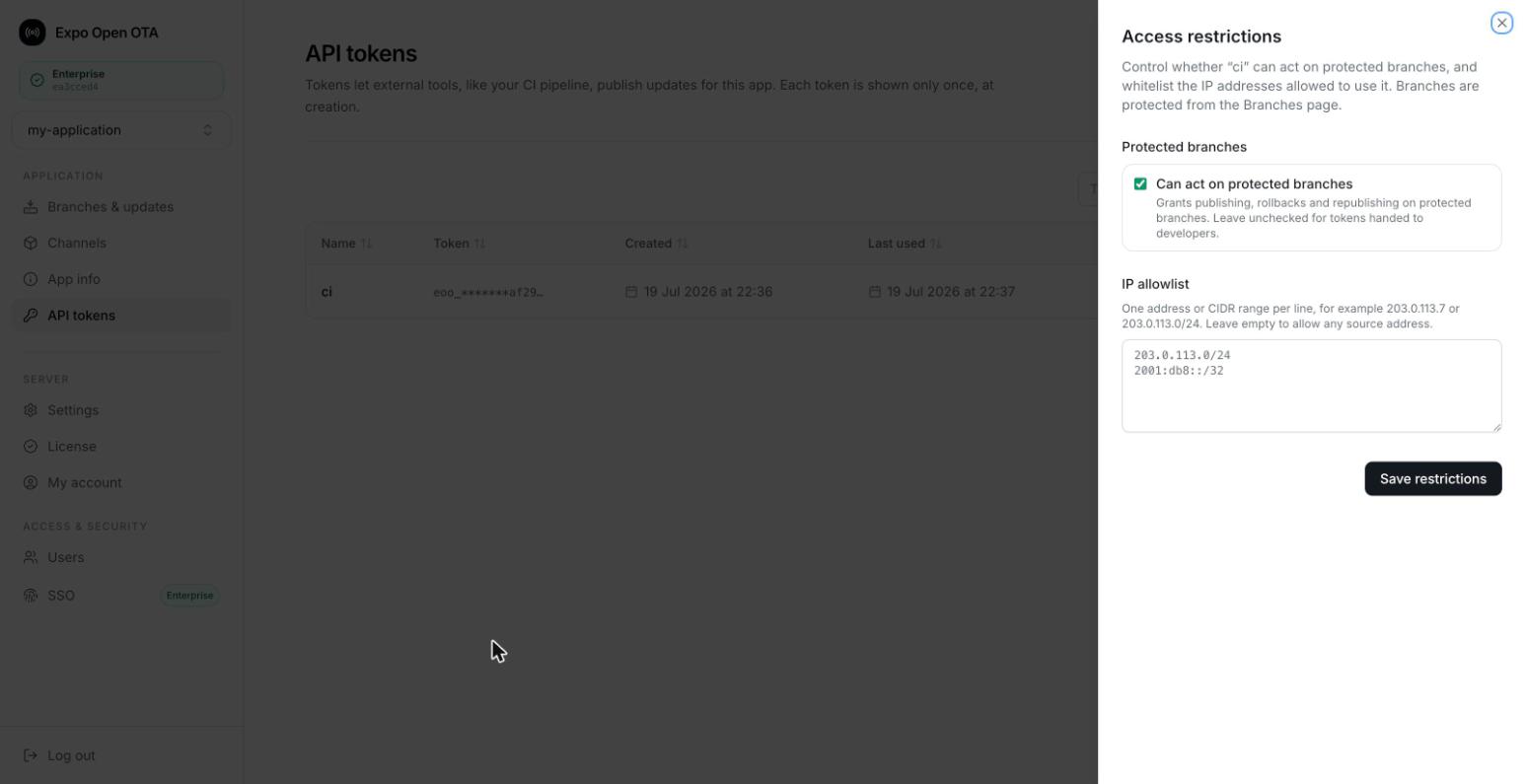
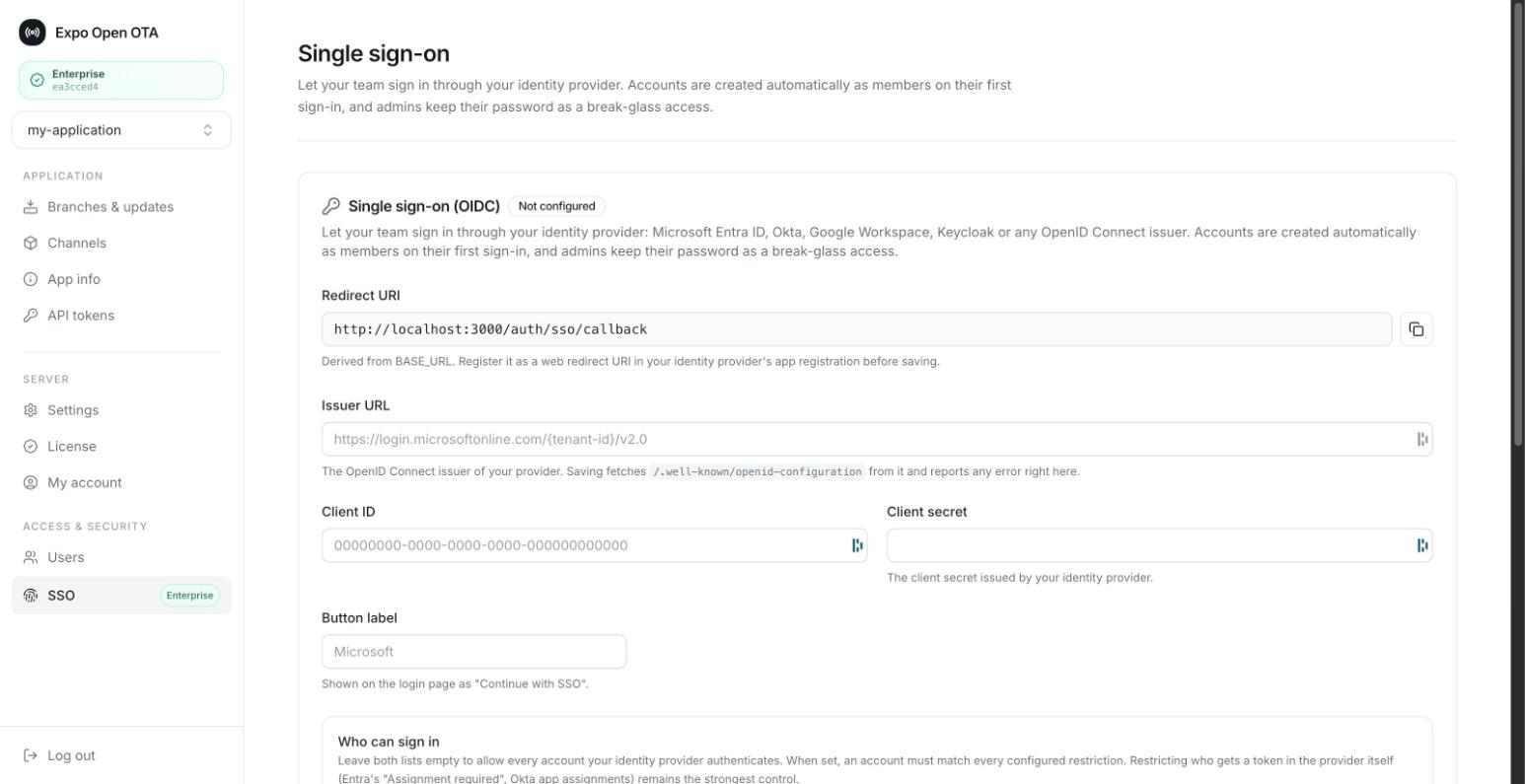
An Enterprise Edition adds what compliance teams ask for: role-based access control (RBAC), single sign-on through any OIDC provider, protected branches publishable only by explicitly authorized tokens, and per-token IP allowlists.
In both modes
Whether you run stateless or control plane mode, v3 also brings:
- Azure Blob Storage support, joining S3, Google Cloud Storage, Cloudflare R2, MinIO, DigitalOcean Spaces, Supabase Storage, and any S3-compatible service.
- CDN in front of any storage backend through a configurable
CDN_BASE_URL, no longer limited to CloudFront. - Per-app Prometheus metrics. Every metric now carries an
appIdlabel: update downloads, manifest requests, rollout states. One Grafana dashboard, every app.
Upgrading from v2
We put a lot of care into making the migration smooth, especially for stateless mode: existing bucket layouts are re-pathed automatically on first startup, and your installed clients keep working without a rebuild. The v2 to v3 migration guide walks through the few server-side changes step by step.
Getting started
The fastest way to try v3 is Railway: one click, fill in the two environment variables for your dashboard credentials (email and password), and you get a running server with its control plane.

The Getting Started guide covers the full setup: storage backends, CDN configuration, code signing, and choosing between stateless and control plane mode.
Thank you
Expo Open OTA is built in the open by Mercure Technologies, and v3 was shaped by the issues, pull requests, and production feedback of its community. If the project saves your team an update-server bill, a star on GitHub goes a long way. If you hit anything migrating, open an issue and we'll help.